
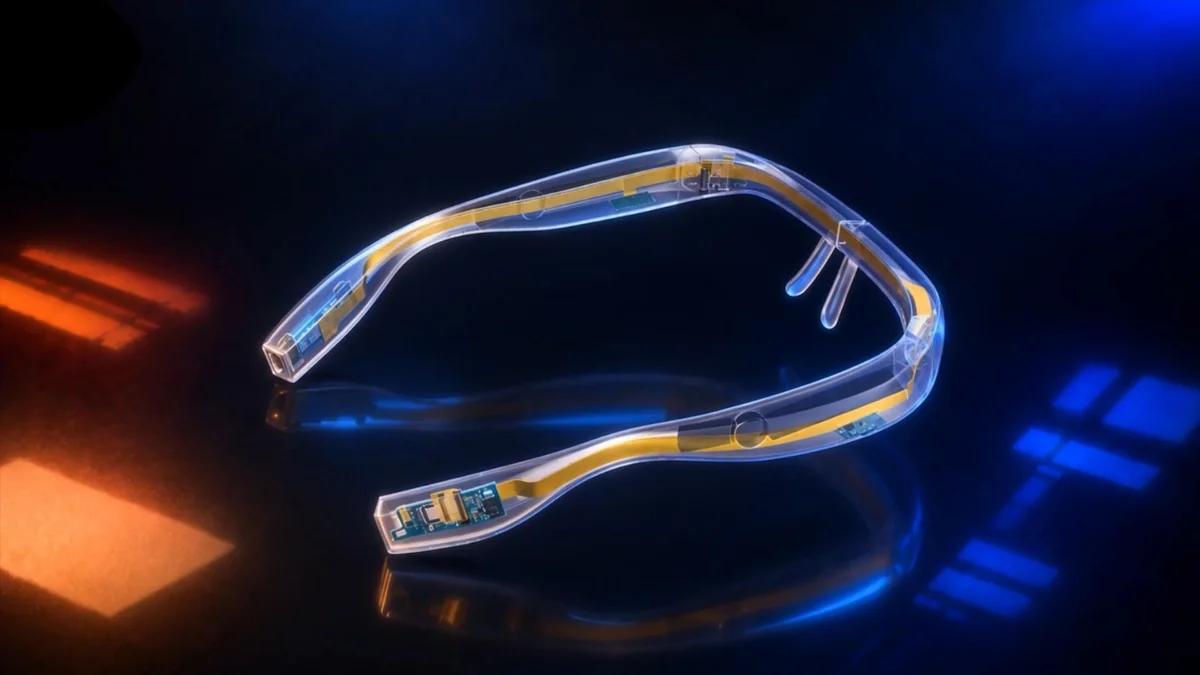
Visual perception and interaction
- Scene description
- When asked about the surroundings, the glasses describe visible objects, signs, and spatial cues aloud.
- Voice-guided object finding
- Name an object to search the visible scene. Direction and distance cues help the user approach it.
- Text reading
- Read recognizable text on labels, room signs, menus, and printed pages aloud.
- Travel cues
- Combine route direction and the visible surroundings with short spoken and directional haptic cues to help users confirm heading and destination.
Hardware development
From feasibility analysis to prototype retest
Evaluation models, design views, and bench records from different prototype revisions.
-
Feasibility analysis
Start with reading, object finding, and travel cues. Break down response time and check power headroom within the compact frame.
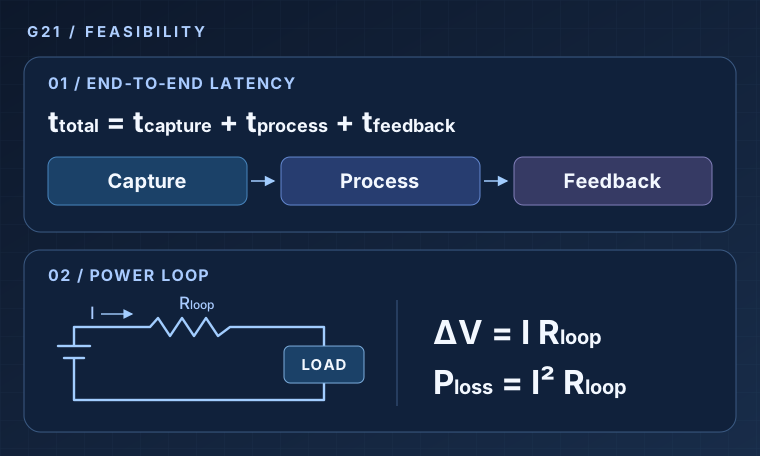
Latency breakdown and power-loop model - End-to-end response
- Account for capture, processing, and feedback from image acquisition to a spoken or haptic cue. Measure the full path while concurrent tasks are running.
- Voltage drop and line loss
- Estimate voltage drop and resistive loss through the flexible interconnect using load current and loop resistance. Check power headroom alongside fit constraints and thermal observations.
-
Circuit design and PCB routing
Translate the circuit design into component placement and routing on a narrow board.
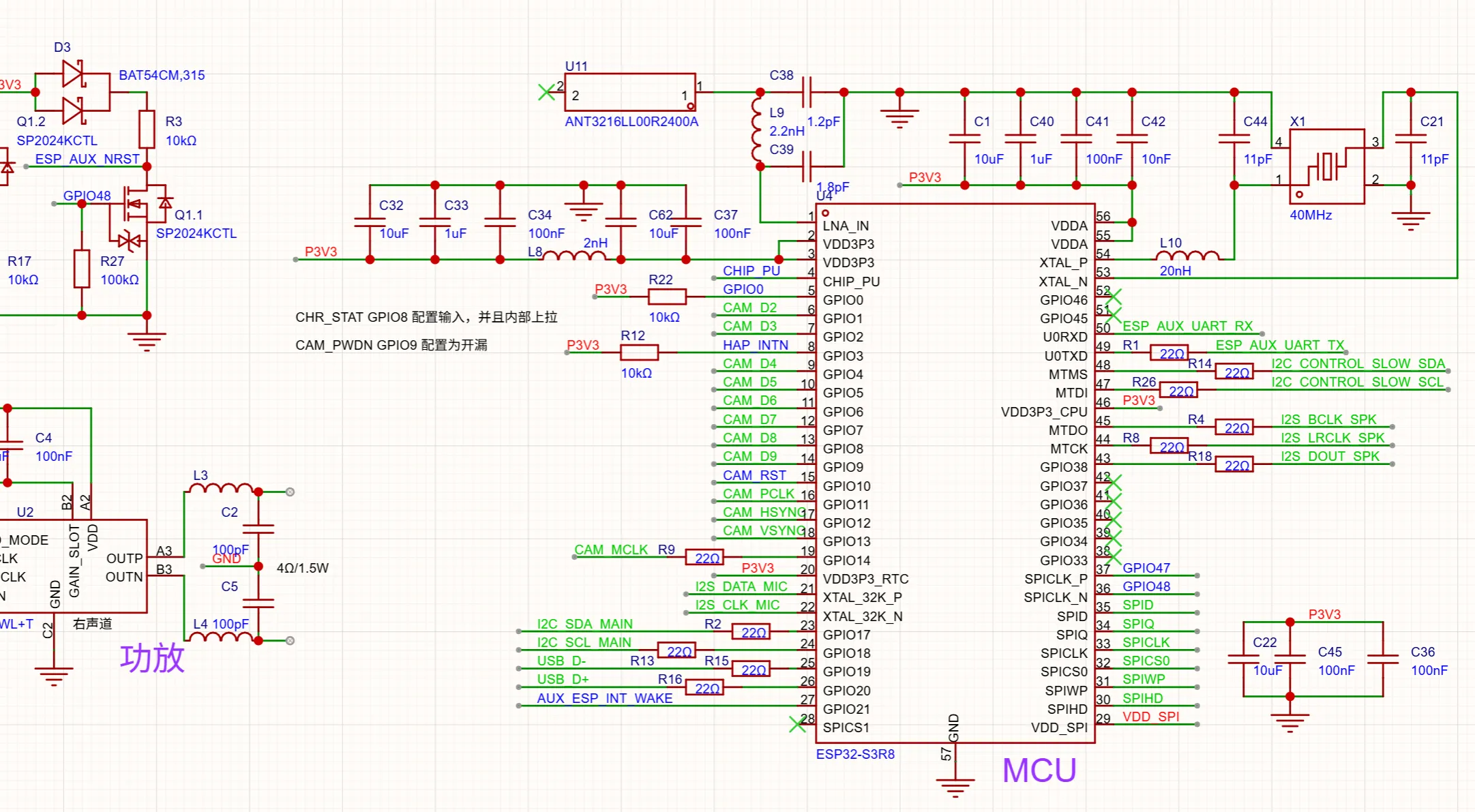
Schematic excerpt 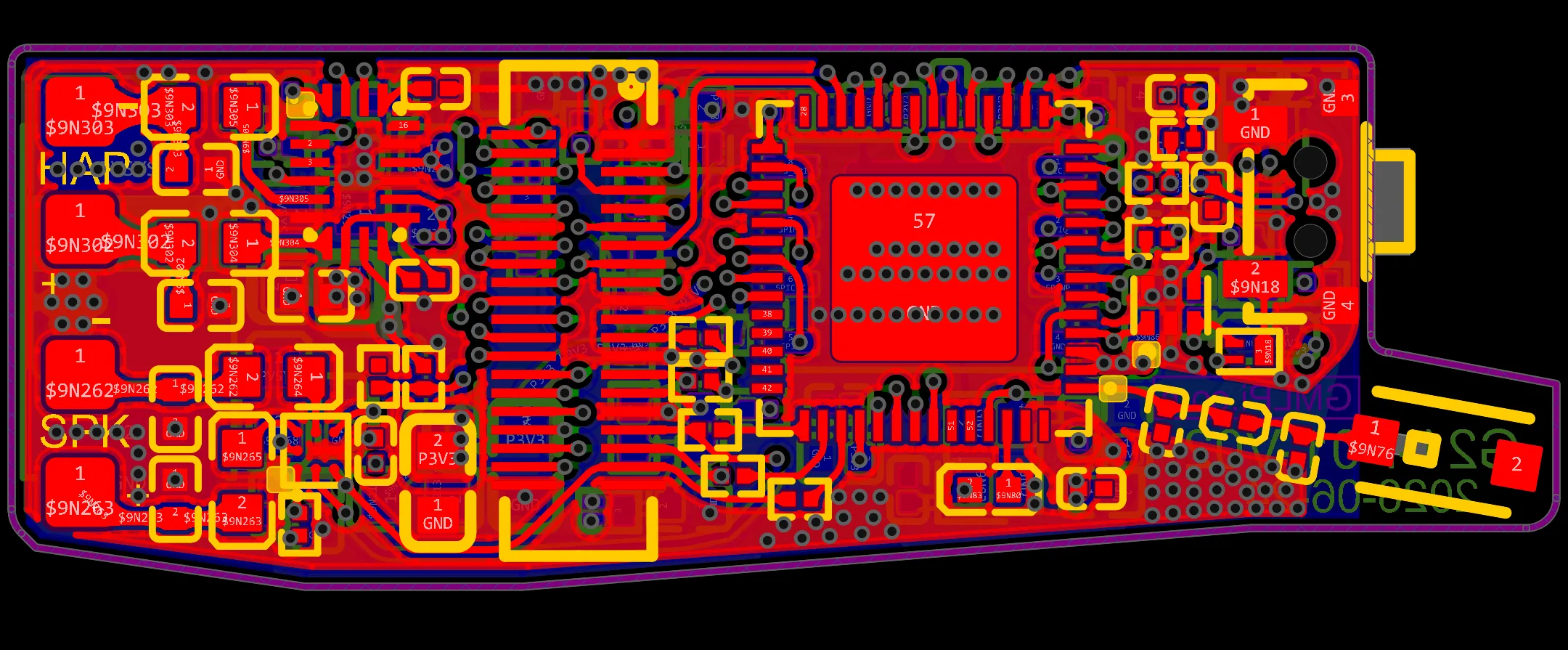
PCB routing view -
Board shape and assembly review
Check board edges and pad positions in 2D, then use the 3D model to review component and connector clearance.
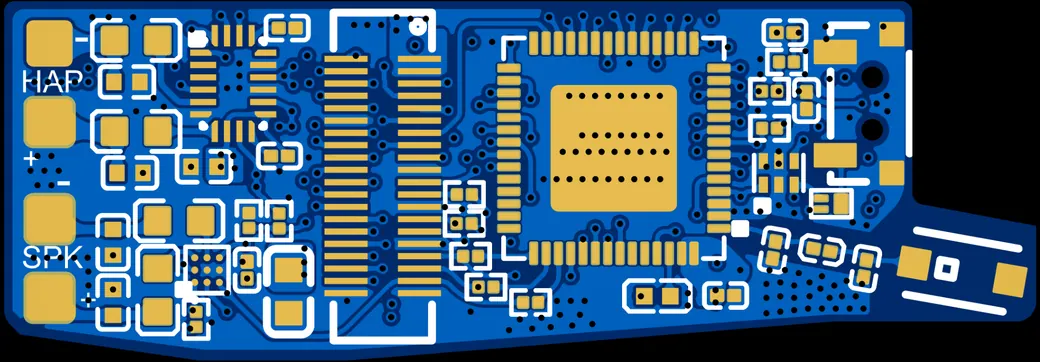
2D PCB view 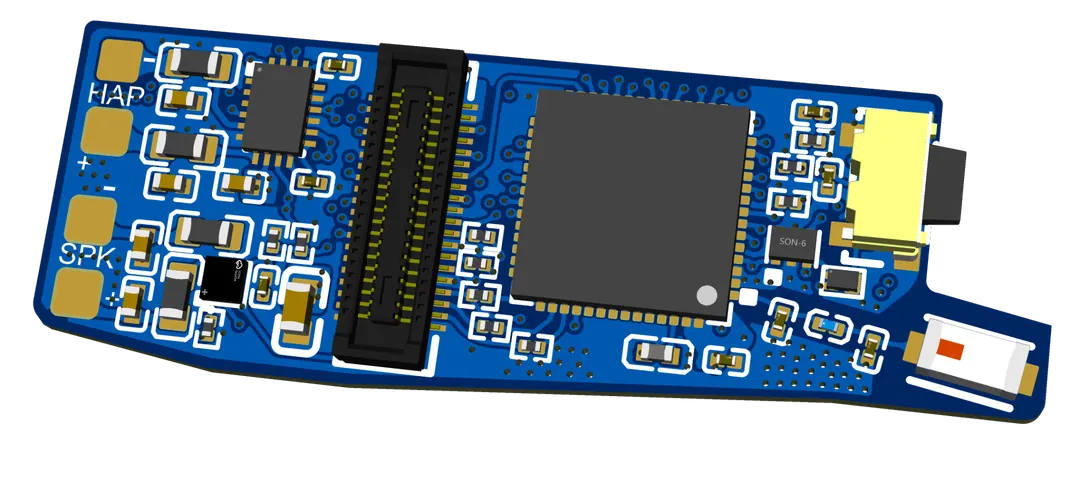
3D PCB assembly model -
Assembly inspection and sensor bring-up
Inspect the assembled board under a microscope, then connect it to the test bench to check sensor data.
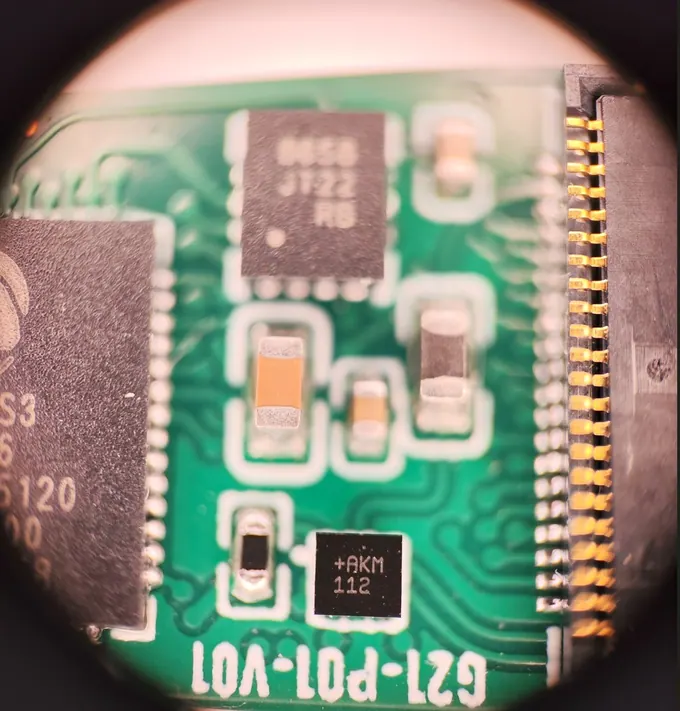
Connector and components under magnification 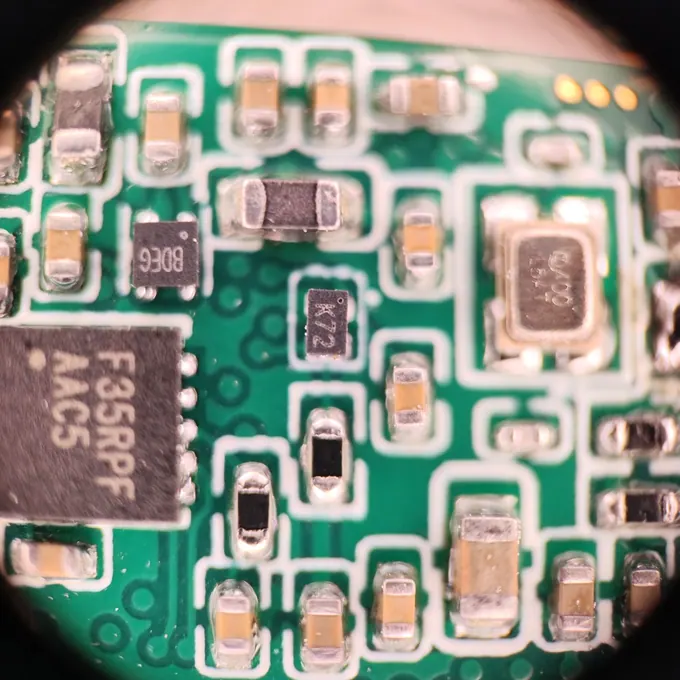
Surface-mount assembly close-up 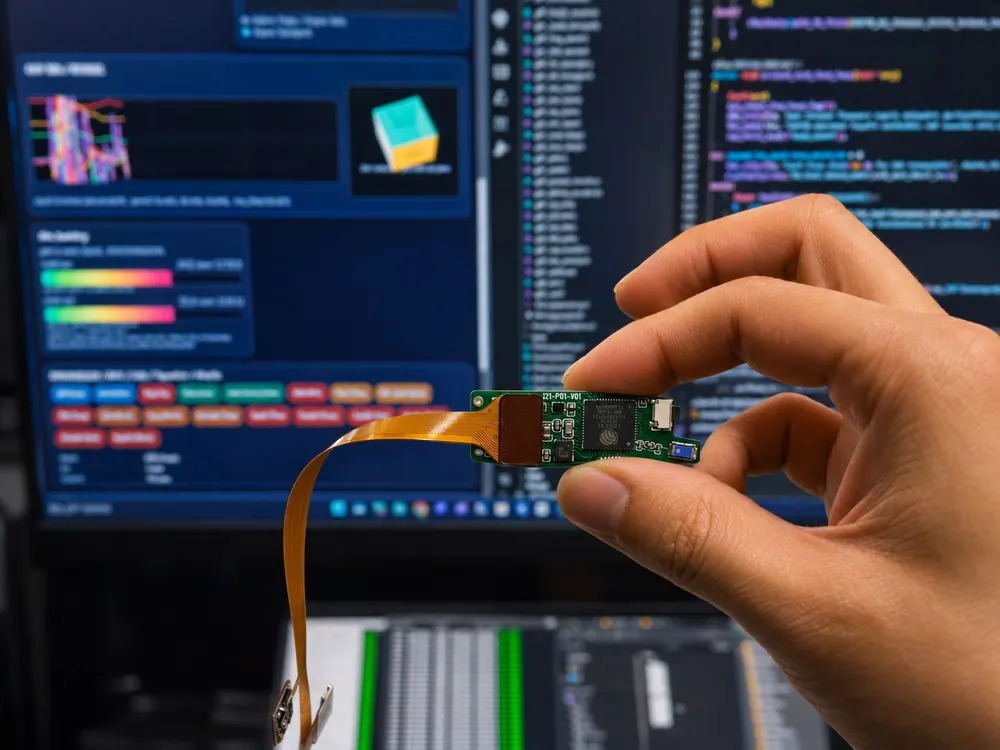
Prototype sensor bring-up -
Waveform and thermal checks
Check relative channel timing on the bench, then use thermal imaging to observe temperature distribution across the prototype.
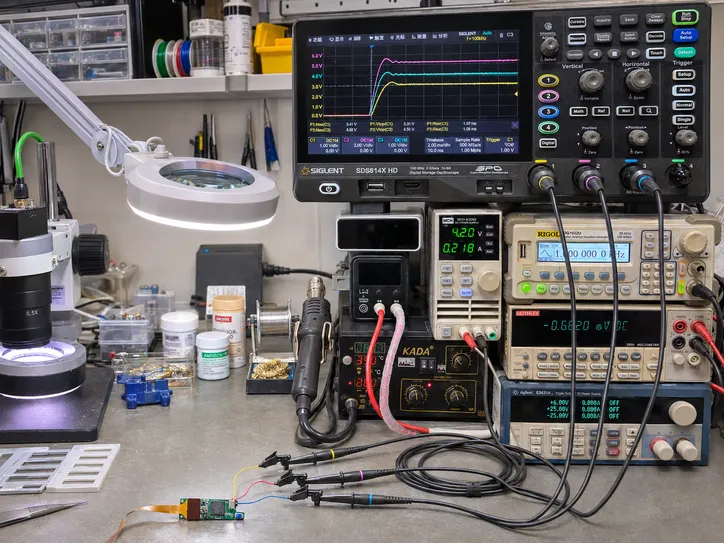
Multi-channel oscilloscope capture View multiple test points together to compare rising edges, relative timing, and settling. 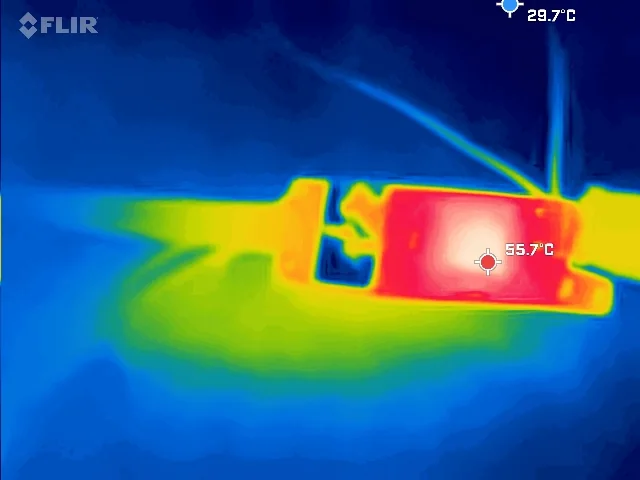
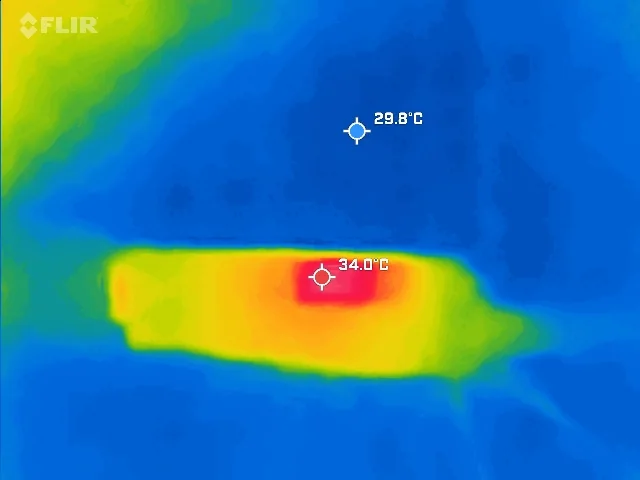
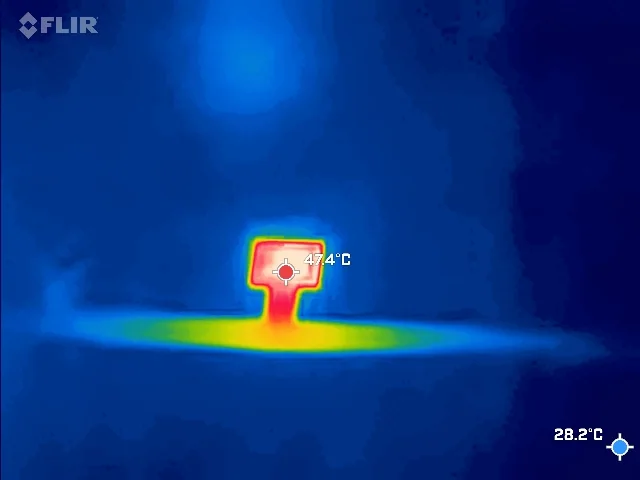
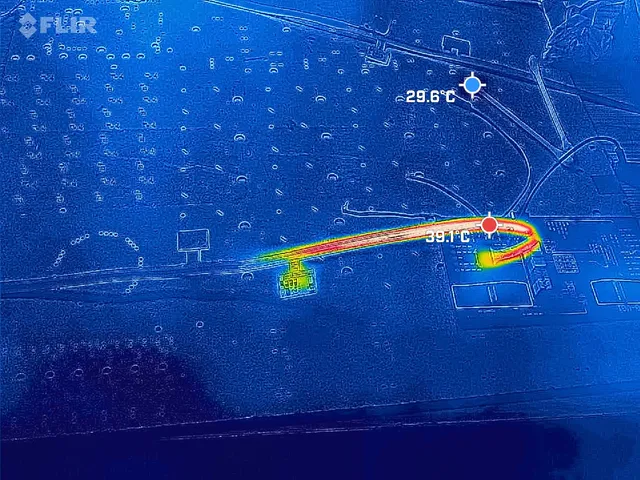
Four prototype thermograms Observe temperature patterns around the board and flex cable. Open each image to read the marked values for that test. -
Fault isolation and retest
In one prototype bring-up, the team traced abnormal image data to solder joints and reran the complete imaging workflow after rework.
- Compare captured dataUse reference data to identify a repeatable imaging fault.
- Inspect solder jointsInspect the connector area associated with the affected signals under a microscope.
- Retest after reworkRerun the imaging workflow and confirm normal operation on the retested boards.
Typical use cases
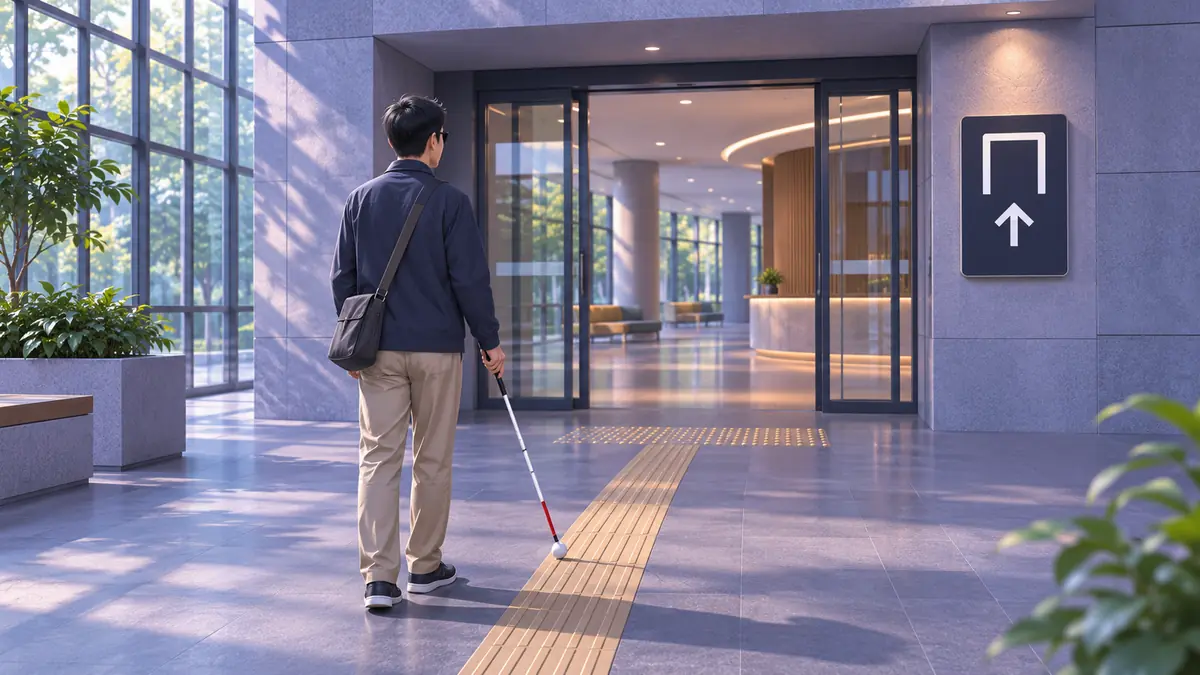
Finding everyday objects indoors
For requests such as “find my keys” or “find the remote,” report whether the object is visible and guide the search direction.
Reading signs and printed text
Read text from the current view when identifying a room number, checking a label, or reading a book.
Confirming the final approach
Once navigation reaches the vicinity, use room numbers, storefront signs, or entrance markers to help confirm the final location.
Evaluation in real environments
- Image quality and task outcomes
- Check whether text is readable, targets are recognizable, and directional cues are clear in low indoor light, outdoor backlighting, and motion while walking.
- Speech and haptics
- While walking, evaluate the clarity of short voice and directional haptic cues. For reading, focus on intelligibility and ease of interrupting playback.
- Handling uncertainty
- When the image is blurred, the target is blocked, or connectivity is unstable, explain what can be confirmed and when to capture another view. Users can combine travel cues with their existing mobility aids and judgment.